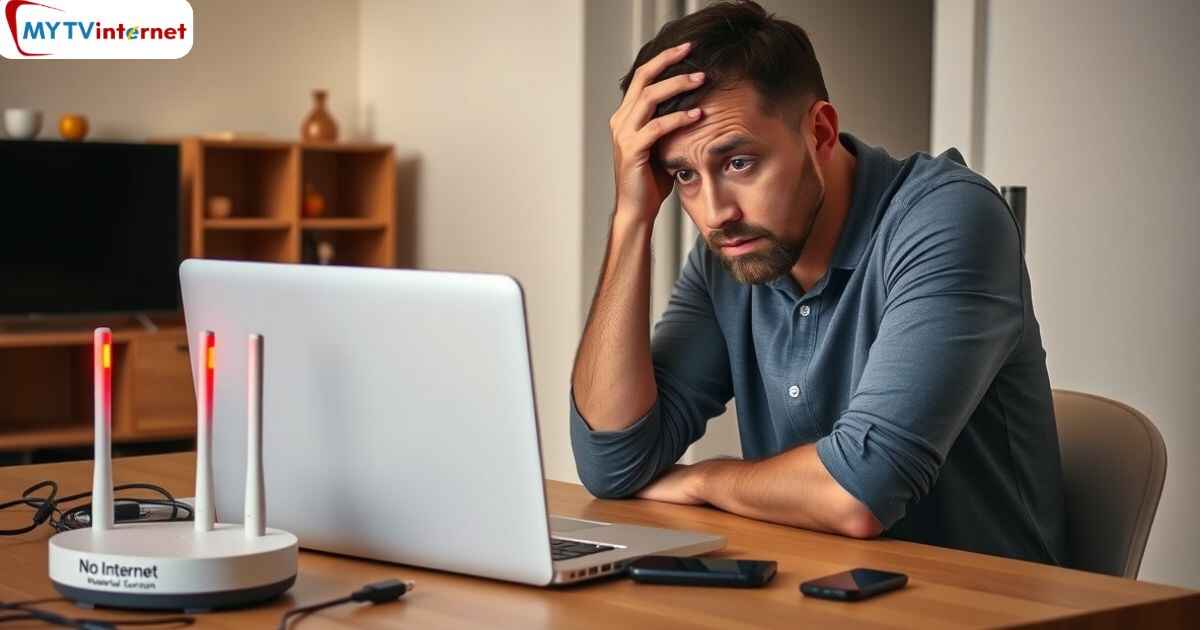
Internet failures are extremely annoying. It is very frustrating to expect to accomplish certain tasks, only to have the connection suddenly cut. It could be a problem of internet speed, cable internet, fiber internet, or a problem with wireless internet. However, there are established solutions that can successfully reconnect users. This guide provides practical solutions to each type of major access. It is based on research and practical troubleshooting methods.
Common Reasons Your Internet Keeps Disconnecting
A slow or overloaded modem/router is one of the most common reasons behind internet problems, such as slow Internet speed and frequent disconnection. The largest offenders of cable internet problems, Fiber Internet problems, and wireless Internet problems include poor signal strength, too many devices on a network, old firmware, ISP technical problems, and damaged physical cables.
Claim Your $100 Discount—Call Now: +1(855)375-6541Diagnosing Internet Speed Problems
- Running a Speed Test: When it comes to troubleshooting, the next step is to run an internet speed test on a known site. Run the test at various times of the day. Use both a wired and a wireless device. This will be useful in identifying the causes of the disconnects. Knowing whether the issue stems from internet speed or is specific to Wi-Fi or wired connections is helpful.
- Perform Network Congestion Test: During peak times, a network can experience low speeds. It can also result in no connection at all. This happens if the plan is not sufficient to support household users. You should consider upgrading your plan. Do this in case bandwidth bottlenecks are frequent.
Cable Internet Problems: Key Fixes
- Check Cables and Connections: Examine all coaxial and Ethernet cables for fraying, improper connections, or damage. Replace any worn cables.
- Reboot Modem and Router: A reboot of the modem and router is a good way of fixing cable internet issues. Unplug, wait 15 seconds, and plug again; give them some time to restart.
- Firmware Updates: Make sure that your router has the latest firmware—go to the manufacturer's website regularly to update your software and correct bugs to make it more reliable.
- ISP Service Interruptions: At times occur due to service interruptions by the provider. Check with the support of your ISP whether there was an outage or maintenance.
Fiber Internet Issues: Advanced Solutions
- Cable Integrity: Fiber optic cables are sensitive to bends, breakage, and water. Scan the physical damage of fiber lines. Do not exert tight bends on the cables.
- Signal Attenuation and Loss: In the case of bending fibres or dirty connectors, signal attenuation may occur. Technicians can fix fiber Internet issues by inserting visual fault locators, light meters and by cleaning them very well.
- Environmental Factors: Fiber cables could be damaged over time because of extreme temperatures and humidity. Equip with good ventilation of the equipment and eliminate environmental damage to the equipment.
- Diagnostic Testing: When having continued Fiber internet issues, ask your ISP to run some diagnostic tests or provide professional assistance.
Wireless Internet Problems: Wi-Fi Troubleshooting
- Router Positioning: Router positioning is essential in using wireless internet; therefore, it is essential to place the router in a central, raised, and uncovered location. This improves coverage. Position store routers as far as they can be without being close to thick walls, kitchens, or large electronics.
- Interference Mitigation: It may be interfered with by other wireless devices, such as microwaves or cordless phones. It can also be affected by neighboring Wi-Fi networks. Switch the Wi-Fi channel in the parameters of the router to a less crowded one.
- Device Firmware and Drivers: Ensure you update your router's firmware and your device's network drivers for optimal performance.
- Limit Network Devices: An excessive number of devices on the network at once can cause problems with wireless internet. You should switch off any unused devices. If your home is large, consider purchasing a mesh Wi-Fi system.
- Wi-Fi: Check and Triple Check: On laptops, the requirements of good wireless connections are to check Wi-Fi settings. Turn off power-saving features. Restart the WLAN service.
Conclusion
Whether there are cable internet issues or fiber internet problems, users can fix most disconnections with troubleshooting steps. Start by checking speed. Then check cables. Fix hardware. Adjust devices to their best settings. If these steps fail, contact your ISP for help. Good internet is within reach. These fixes ensure speed and stability. Sudden interruptions will not affect your day. To know more about the Internet plans, get in touch with the My TV Internet customer care number.
FAQ’s
What should I do first when my internet keeps disconnecting?To get glitches out of the modem and router, restart them.
Can bad or old cables cause frequent internet disconnections?Yes, bad or poor network cables commonly create the effect of intermittent disconnections.
Does Wi-Fi signal strength affect how often the internet drops out?Definitely - the distance, the obstacles, or the interference cause weak signals, which makes Wi-Fi drop regularly.
Could my ISP be the reason my internet keeps cutting out?Yes, downtime, bandwidth control, or saturation of the network of the ISP are the usual suspects.
Will outdated router firmware or device drivers lead to disconnection issues?Yes - stability or compatibility issues can develop because of running old firmware or drivers, which can result in drops.